01
ADAReporting scans the customer site
Public pages, PDFs, forms, media signals, contrast, headings, labels, links, and other automatable WCAG issues are organized into an executive-ready report.
Accessibility features are useful. They are not the same as verified accessibility on your live website. Templates, content, uploaded documents, forms, third-party widgets and later updates all affect the experience.
ADAReporting provides affordable, independent automated evidence you can share with the people responsible for repairs. Repeat scans and scheduled monitoring help identify detected changes; they do not continuously test every interaction or certify legal compliance.
Ask what was tested, on which version and pages, and whether the evidence covers your current content and complete user journeys. Independent testing can complement the provider’s work. Responsibilities span platform code, templates, authors, documents and integrations. Contracts and applicable law determine legal obligations; this is not legal advice.
Automated testing has limits. Keyboard, screen-reader, content and task-based manual review remain necessary. A clean scan is not proof of full accessibility.
How it works
01
Public pages, PDFs, forms, media signals, contrast, headings, labels, links, and other automatable WCAG issues are organized into an executive-ready report.
02
Findings are prioritized by severity and grouped so IT and communications teams can distinguish page-content problems from platform/template problems.
03
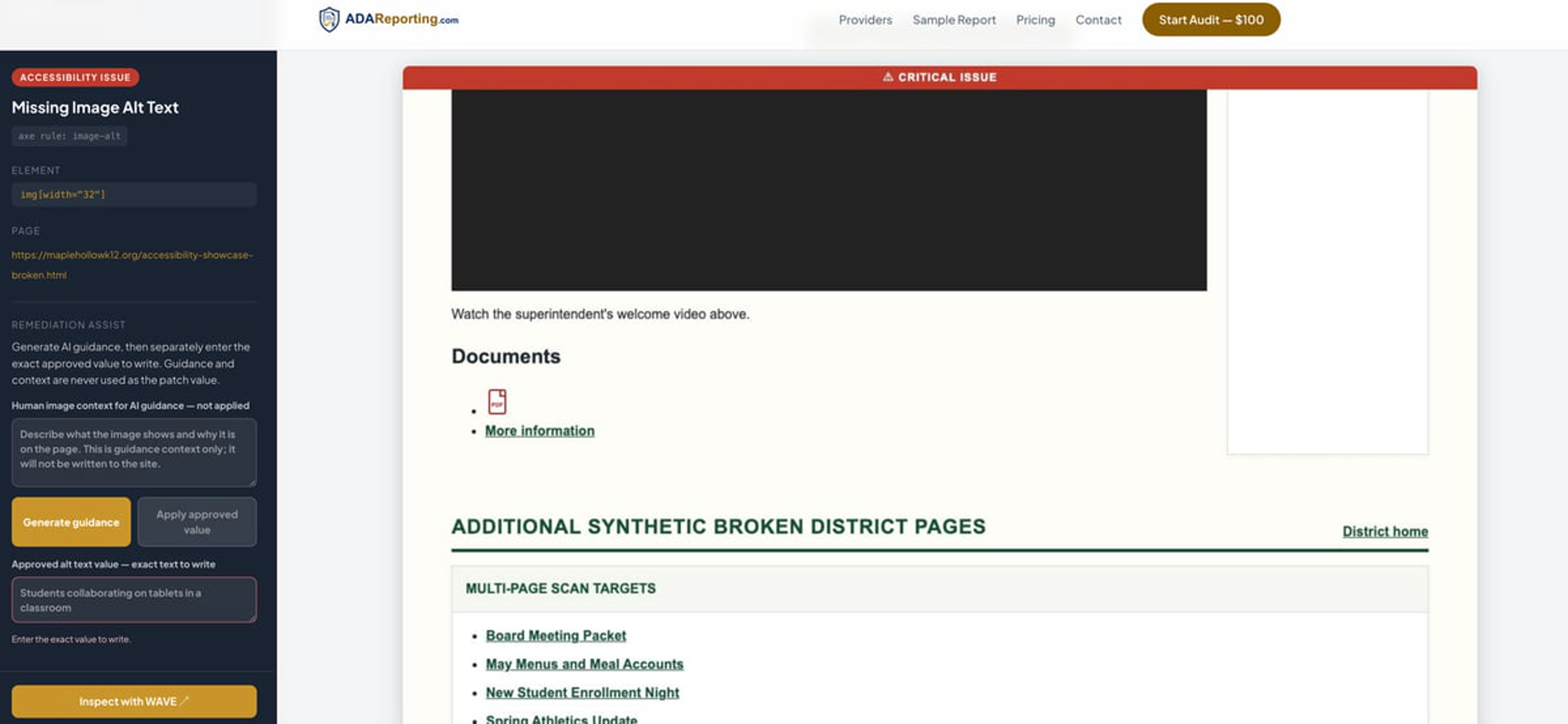
For eligible issues, RA shows the selector, context, suggested fix, confidence level, and whether the change is content-level or provider/template-level.
04
When provider API access exists, an approved fix can trigger ADAReporting's AI agent to apply the specific change, log the before/after state, and verify with a rescan.
The report
The customer-facing PDF gives decision-makers a clean summary while preserving the issue-level detail technical teams need: affected URLs, severity, WCAG context, selectors, and recommended next steps.
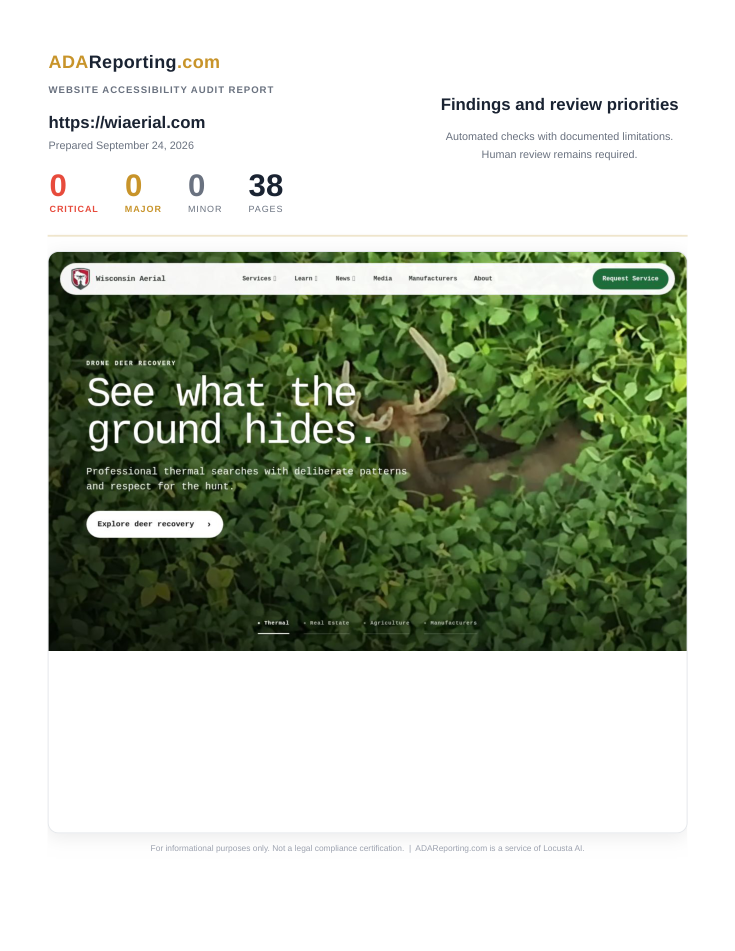
The full PDF gives leaders the findings and review priorities, while IT teams get issue-level detail they can move into Remediation Assist.
Provider-safe action
Finding
Image is missing alternative text
WCAG 1.1.1 · Critical · Customer-editable content
Before
<img src="/hero.jpg">AI-proposed fix
<img src="/hero.jpg" alt="Main Street storefront">Customer approval gate
A customer-side reviewer approves the exact change. If approved, ADAReporting calls the provider API with the specific patch, logs the before/after values, and verifies with a rescan.
Remediation Assist
RA is designed for real customer-provider workflows: customer or technical staff read the PDF report, choose the eligible issue, approve the specific fix, and let the AI agent apply that approved change through a provider-safe integration. Template problems route back to the provider because the provider owns the template.
API access caveat
Some AI-powered Remediation Assist features are contingent on you, your website host, CMS provider, or platform vendor providing appropriate API access. If API access is unavailable, ADAReporting can still provide reports, issue guidance, approval notes, and provider-ready handoff materials, but automated application of fixes may not be available.
Product workflow
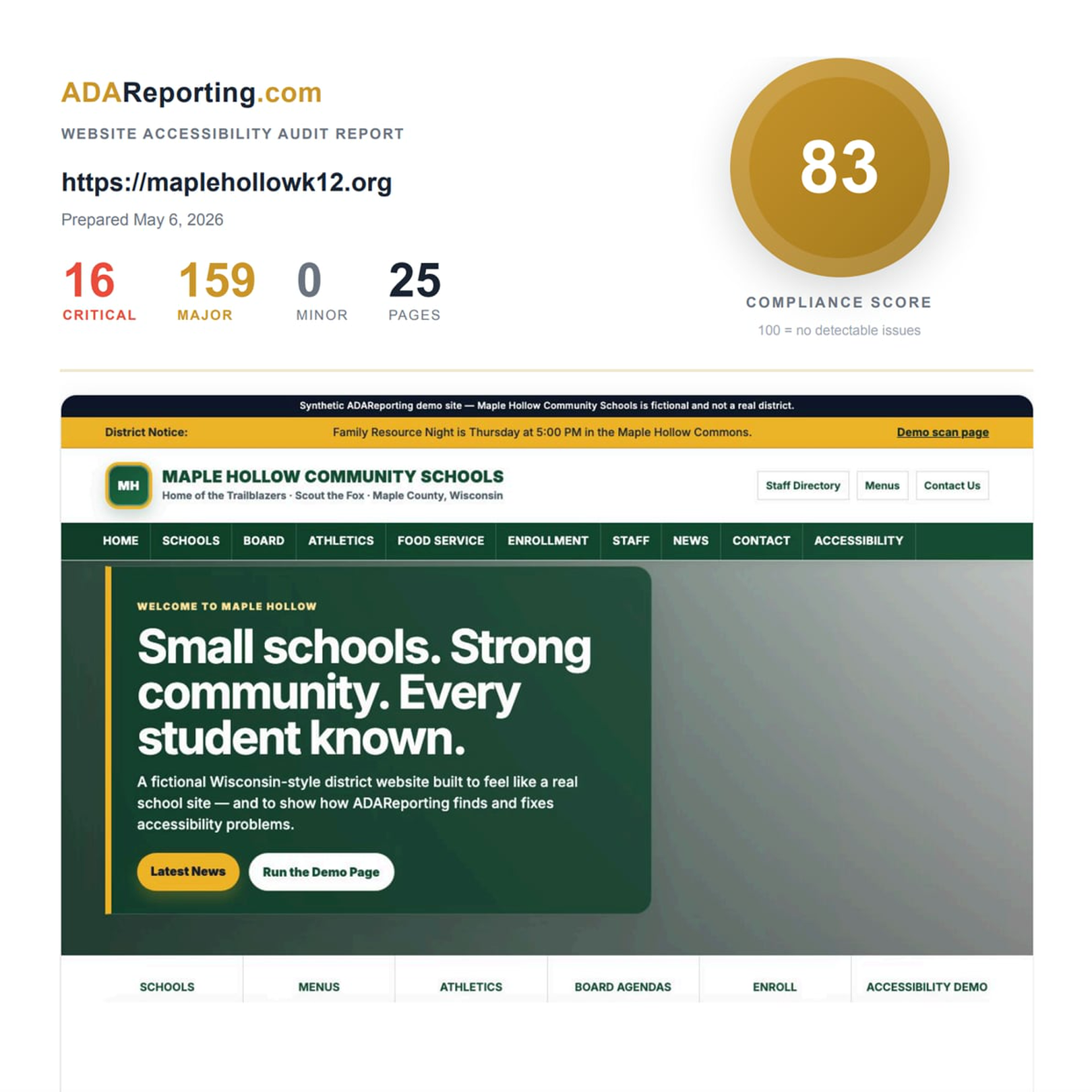
The partnership experience can show both sides of the workflow: the inspection view that proves the issue in context, and the remediation view that turns the finding into a provider-safe action path.
Inspect
Remediation Assist
Partner interest
By working together, your customers get modern ADA reports, issue-level remediation guidance, and an approval-based repair path. Your platform keeps control of API access, permissions, templates, and auditability.
Important guardrail
ADAReporting does not need unrestricted platform access. The goal is scoped API access, customer approval, least-privilege repair actions, audit logs, and verification scans.
Why partner
Customers get clear, prioritized findings instead of opening vague accessibility tickets with screenshots and no WCAG context.
The provider keeps template ownership, API boundaries, approval gates, and audit logs. ADAReporting does not need broad platform access.
Reports become a recurring accessibility operating layer for customers, not a one-time PDF that dies in an inbox.
Provider-partner discounts give you room to package ADAReporting as an add-on service while we handle the reporting, remediation workflow, and operational layer.
Pilot the report + RA workflow with a small customer cohort, validate API guardrails, then expand to the provider base once approval, audit, and verification flows are proven.